Today, we are pleased to announce the release of the Sweet MCP server, which enables you to connect your AI assistant or in-house agent directly to Sweet. Rather than piecing an answer together yourself, you can ask questions such as "What are our highest-risk vulnerabilities?" or "Which vulnerabilities on our running workloads have a known exploit?" and get a clear answer in plain language, right in the tools your team already works in. Every request runs with your own Sweet permissions, ensuring your assistant only sees what you can see in Sweet.
What Is an MCP Server?
Model Context Protocol (MCP) is an open standard that enables AI assistants and agents to connect to external systems and use the tools those systems offer. An MCP server makes a product available to any assistant that supports MCP, so you can work with that product from whichever assistant you prefer. For security teams, MCP provides your assistant with live data from your environment rather than whatever someone copied into a chat.
See What Matters in Your Environment by Asking Your Assistant
If your team relies on AI assistants and agents for triage, research and investigation, those workflows are only as useful as the data they can reach. The Sweet MCP server gives your assistant access to attacks and incidents, the vulnerabilities that matter most and the rest of your security data whenever you ask. Your assistant explains what Sweet has found, connects related findings and summarizes them clearly, so anyone on your team can understand what matters and why. It supports Claude, ChatGPT and Codex, and as we add new capabilities to Sweet, the server delivers them to your assistant automatically.
The same connection extends to the agents your team has built for its own workflows. Sweet provides your in-house triage or investigation agent with runtime context as part of its work. That enables the agent to weigh a finding against what is actually running in your environment before deciding what to escalate, without a custom integration for your team to build and maintain.
Get from Question to Protection Faster
Because Sweet's answers come from what it observes in your running environment, the Sweet MCP server enables your assistant to take you from spotting a risk to acting on it. For example:
- When a critical vulnerability like HTTP2Shell is disclosed, the first thing you need to know is whether you are exposed. You can ask your assistant which workloads are running the vulnerable package, how Sweet scores the risk on each one and whether any attacks have been detected against them. Sweet Virtual Patching then protects the affected workloads by blocking exploitation at runtime while you test and roll out the fixed version.
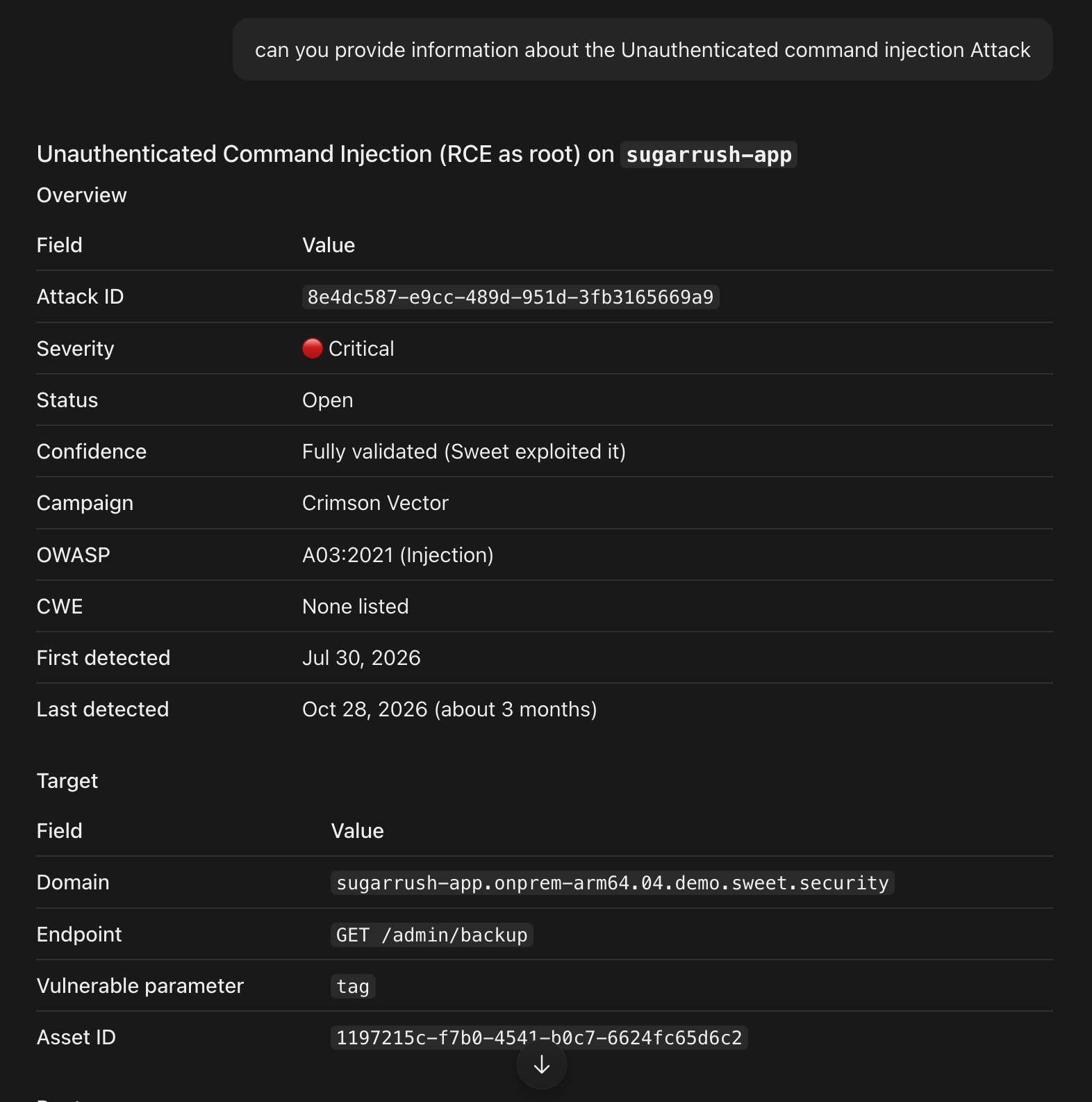
- When Sweet Attack proves an attack path in your environment, the Sweet MCP server surfaces it, so you can ask your assistant to walk you through how an attacker would move from an exposed entry point to your sensitive assets. From there, you can ask follow-up questions about any step along the path and decide where to act first, all from the same conversation.
The Sweet MCP server also simplifies reporting. Rather than exporting data and assembling a summary by hand, you can ask your assistant to pull your top vulnerabilities into a report for your team or leadership and schedule it to arrive every week.
The Sweet MCP server also simplifies reporting. Rather than exporting data and assembling a summary by hand, you can ask your assistant to pull your top vulnerabilities into a report for your team or leadership and schedule it to arrive every week.
Make Sweet Part of How Your Team Works with AI
For many security teams, AI assistants are becoming the place where triage and investigation begin. By providing Sweet's runtime context where that work happens, the Sweet MCP server makes cloud and AI security easier for your whole team, enabling you to spend less time interpreting data and more time acting on it.
To get started, add Sweet as an MCP server in your AI assistant and sign in with your Sweet account. If you'd like to see it in action first, request a customized demo and our team will walk you through it.