

Investigate Fast in One Query, Detect in One Click
Search cloud and runtime activity together, narrow in on what matters, and create a detection on the spot.
For a security analyst, the day-to-day work isn't about handling breaches, it's chasing things that look off. A process that shouldn't be running. A connection to a host nobody recognizes. An SSH login from the wrong place at the wrong hour. Each one is a thread worth pulling, because any of them could be the first move of the next attack.
That's where the real work begins. To understand the behavior you need every angle on it at once: what the process did and what it spawned, where it connected and what it resolved, who opened the session, and what changed in the cloud at the same time. No single source tells the story; they only add up when you read them together.
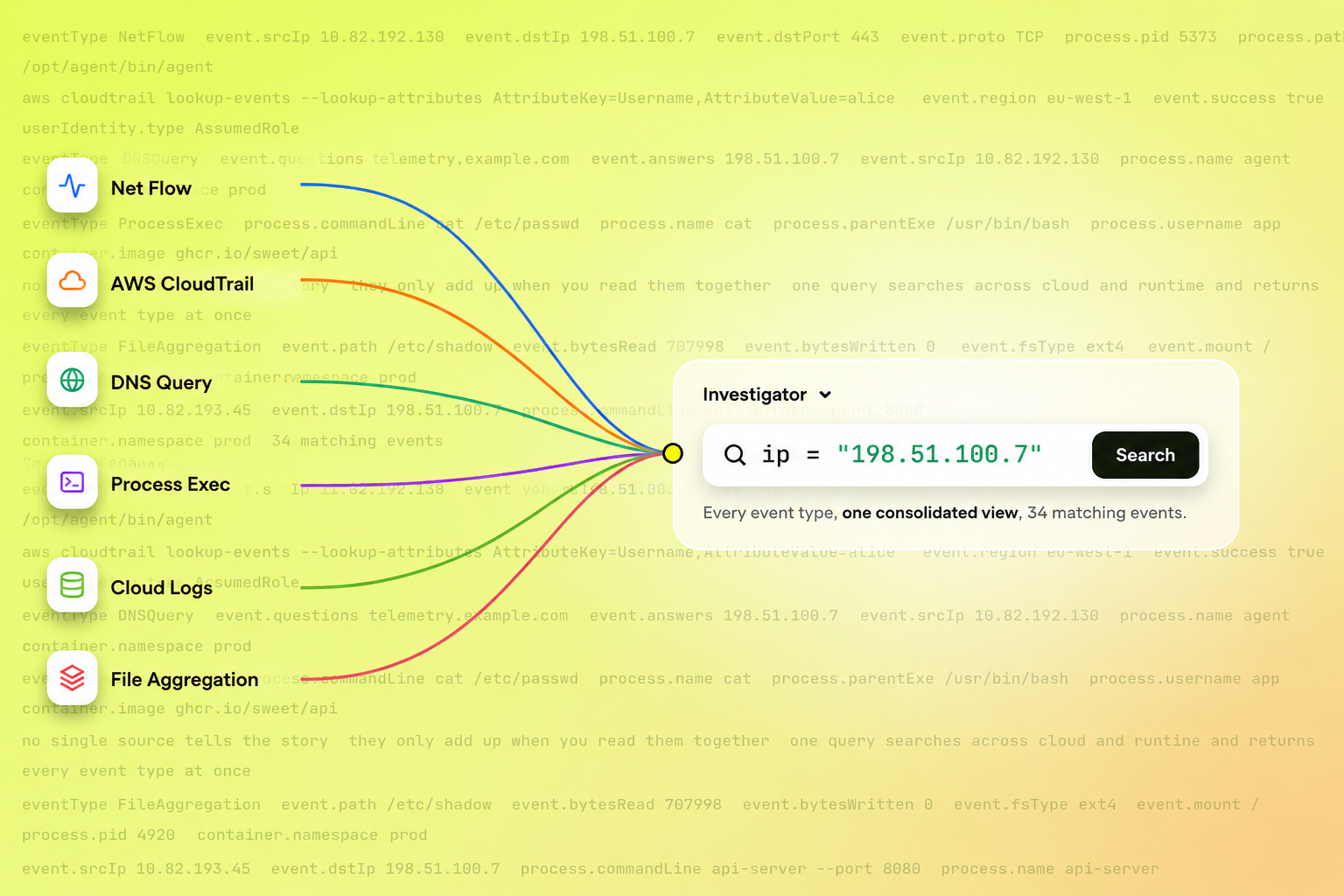
The hard part is that this data is scattered across separate tools, so most of the effort goes to assembling the picture by hand instead of investigating it. Sweet Investigator closes that gap: every raw event across runtime and cloud in one consolidated view, with the detail to get to the bottom of it.
One Query, Every Event Type
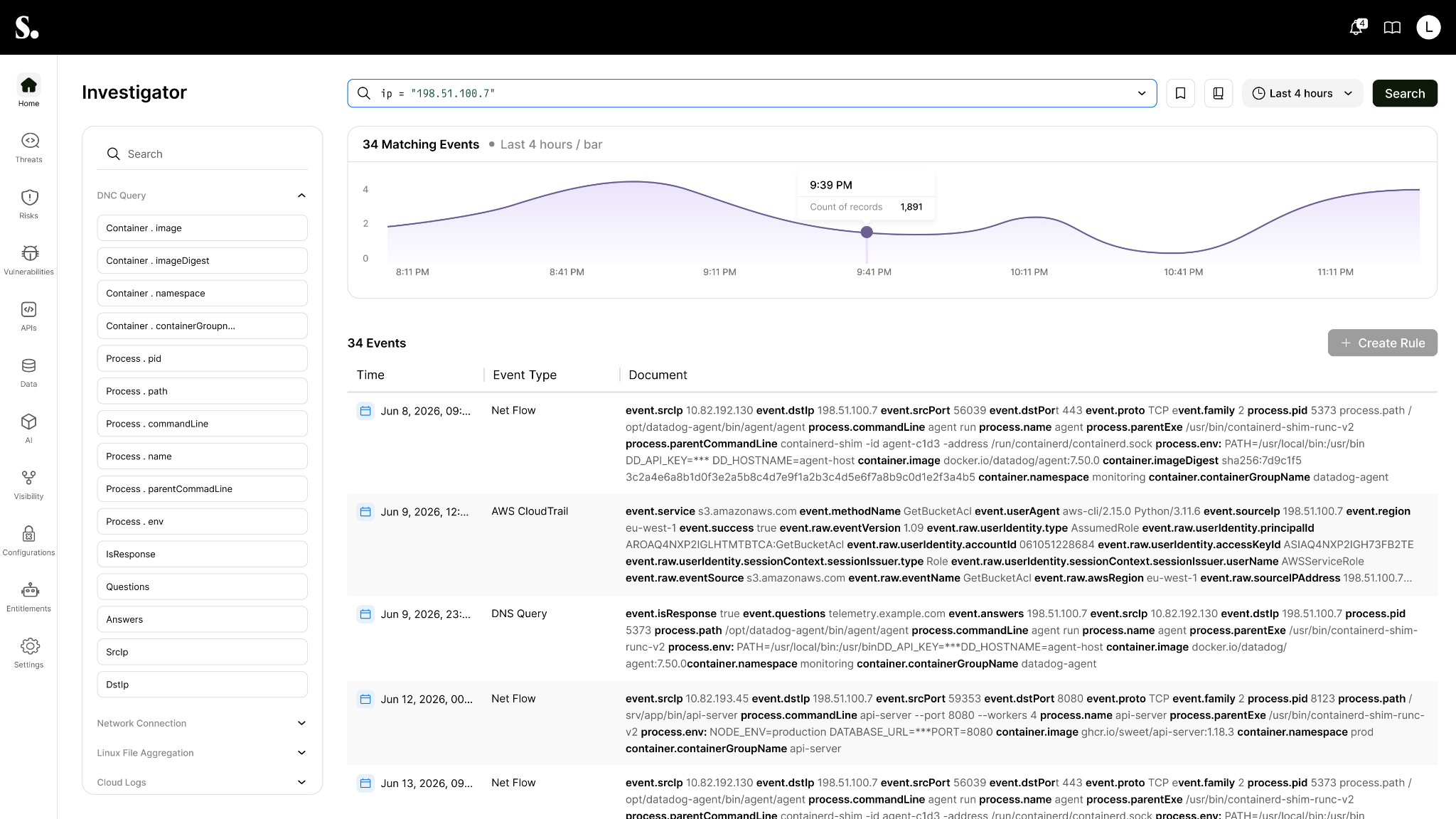
Under the hood, every event Sweet collects, both from the runtime sensor and from your cloud logs, is stored in a common data structure that describes the event and its own properties. That shared structure is what lets one query search across cloud events, DNS, network connections, process activity, and more at once, and see them together in a single result.
You don't have to know the event type up front. Search for a value, and Investigator returns everything tied to it, of every kind, in the order it happened.
From a Suspicious Activity to a Detection Rule
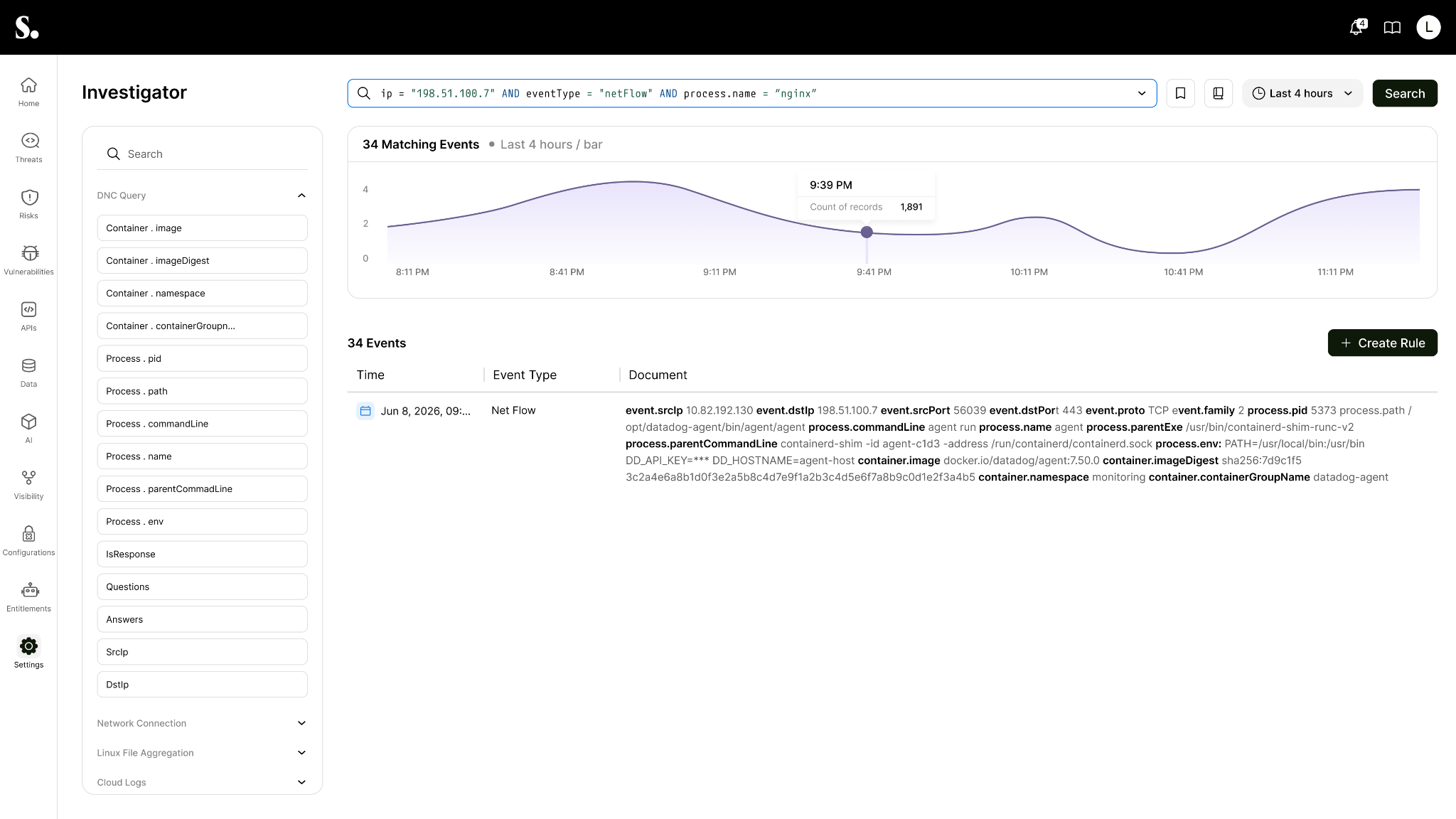
From there you dig in: click any event to open its full set of fields, and use what you find to narrow the search. Add a condition, then another, until the results converge on a single event type and the exact behavior you are chasing.
Here is what that looks like. An analyst gets an alert on an outbound connection from a production host and searches the destination IP. The results bring back the network connection, a DNS lookup for a domain registered only days earlier, the process that opened the socket, and a cloud role-assumption from the same host minutes before. Opening the process event shows it was spawned by a package install. The analyst narrows the query to that process and its outbound traffic, confirming the pattern is real. From that query, the analyst can create a rule in one step. It is that same query, with nothing to translate. That closes the circle: the suspicious activity that started the investigation becomes a detection rule that catches it on its own next time.
The Process in Full Context
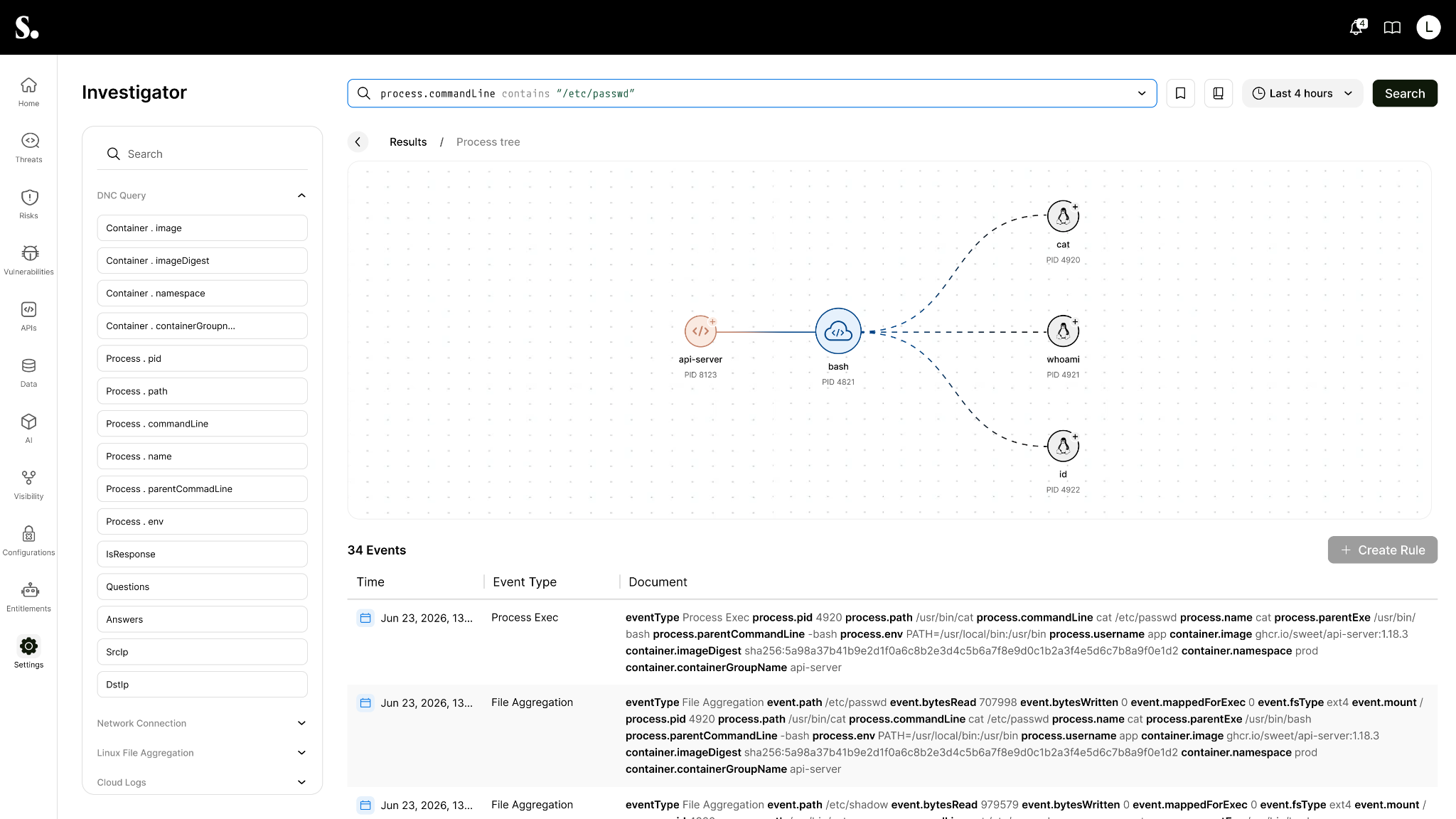
Often an investigation comes down to a single process - click its name to focus on it. Investigator centers on that process and shows it in context: the parent that launched it, the children it spawned, and every event tied to it across all event types. A side panel lays out the details, the user it ran as, when it started, the host, the command and executable, and its hash. That process view makes it quick to tell routine activity from something worth further investigation.
From a Detection Rule to Investigation
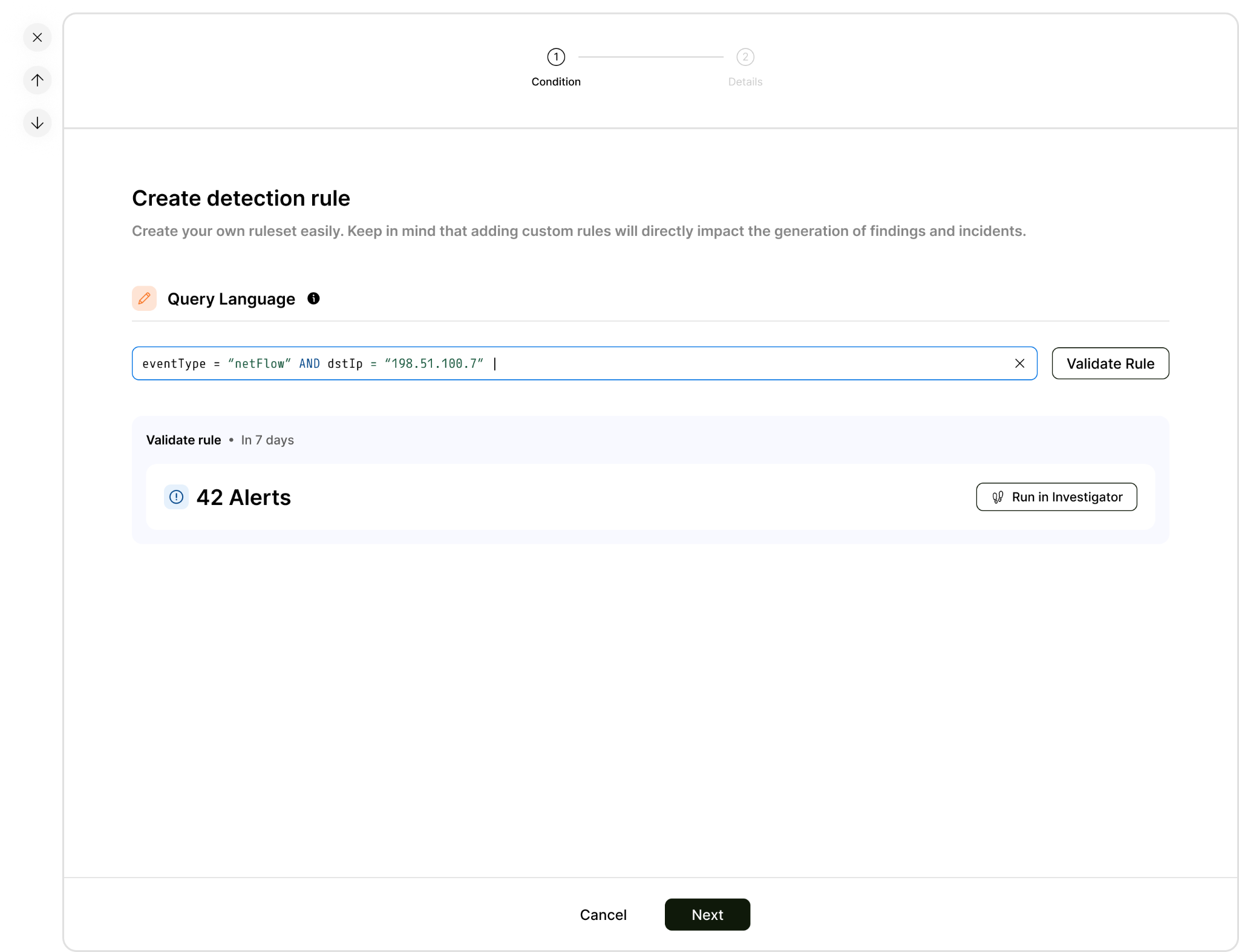
You can also start from the other end. When you already know the behavior you want to catch, you write the rule directly. Building your own rules is how you set what counts as a threat in your environment.
Before it goes live, you run it against your history to see exactly what it would have caught. If a result needs more tuning (too many matches or noise, for instance), you open it straight in Investigator with the same query and tune against your real data.
See it in Action
Every investigation starts with a question: what actually happened? Sweet Investigator brings cloud and runtime activity into a single view so you can follow the evidence, understand behavior in context, and create detections directly from what you find.
Schedule a demo with us to see how quickly your team can move from investigation to detection with real data from your environment.